Deep Work
Mo · Blocks 6 apps
Scheduled
On duty · 42 min left
Weekdays, 9 to 12. Mo keeps social and video out of the way until lunch.
Screen time, kindly kept
Timewards blocks the apps that pull you away. Every routine gets its own ward, a small, warm guardian that keeps watch while you read, work, or sit down to dinner. It cheers you on and never scolds.
Meet the wards
Each routine is guarded by its own ward, with a name and a color that stay with it. They focus while they’re on duty, nap while they rest, and cheer when you finish.
Mo · Blocks 6 apps
On duty · 42 min left
Weekdays, 9 to 12. Mo keeps social and video out of the way until lunch.
Lu · All apps & websites
Watching your time · 18 min left
A shared 45 minutes a day. When it’s used up, Lu steps in.
Blu · Blocks 9 apps
Starts at 8:00 PM
Every night until 7 AM. Blu naps through the day and wakes for wind-down.
Wards cheer, never scold A quiet day resets quietly Milestones are never lost
How it works
Pick the ones that pull you away, or block everything except the few you need.
Start a focus block now, set a schedule that starts on its own, or give a group of apps a daily limit.
Decide what it takes to end the routine, or to take a short break that doesn’t end it.
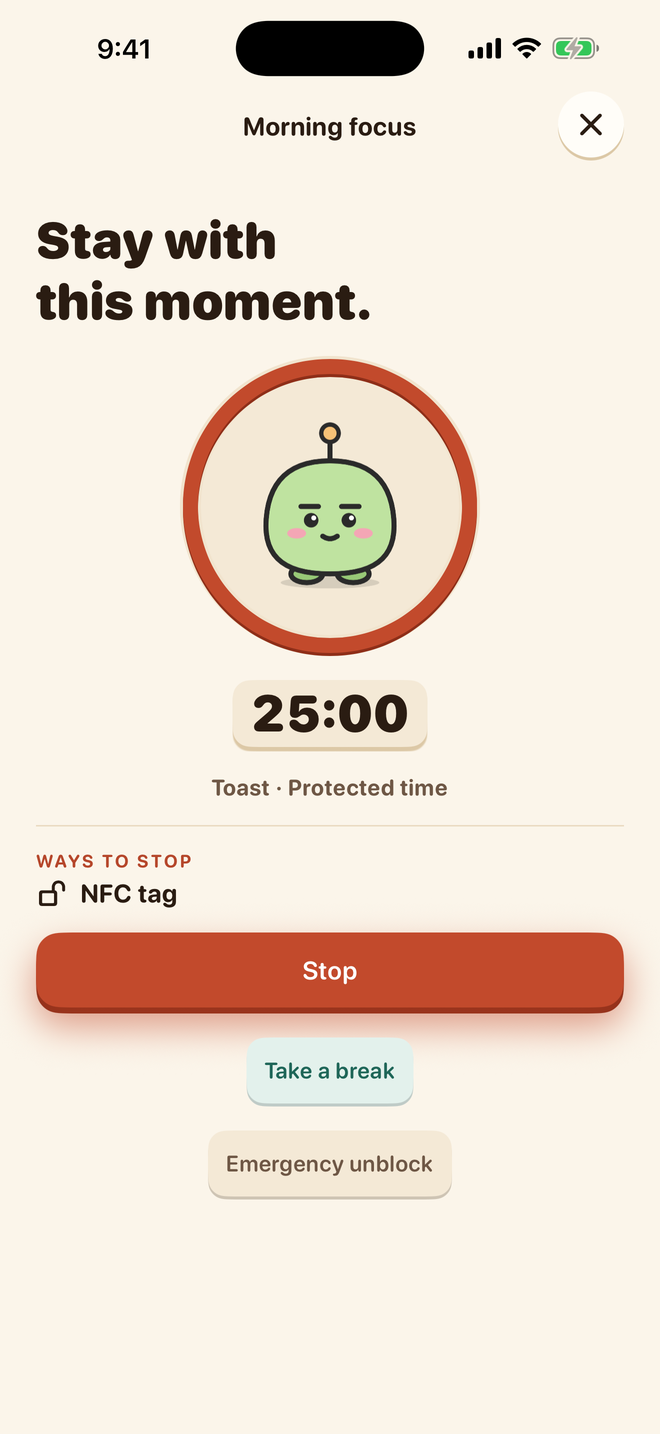
Ways to stop
The best boundary is one you can live with. Make stopping as easy as a tap, or put a few steps, a few squats, or a whole room in between.
A break gives you a few minutes of access without ending the routine. Your ward picks up again as soon as it’s over.
Do a few push-ups or squats in front of your iPhone. Timewards counts every rep with the camera, then lets you back in.
Counted on your iPhone. Nothing is recorded or uploaded.
Progress, celebrated
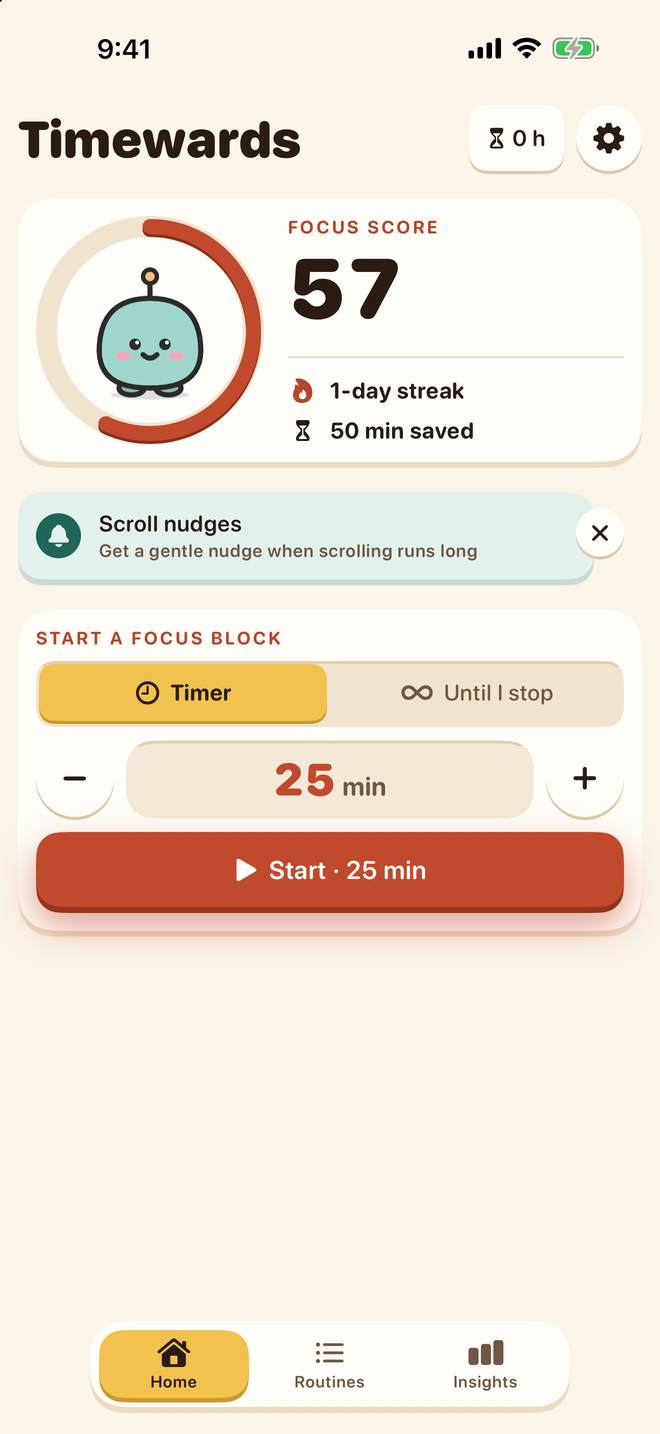
Pip lives on Home inside your focus ring. The score grows with the time your wards protect, the routines you finish, and the days you keep going.
Finish any routine to count the day. Miss one and it resets quietly. No shame, no sad faces.
Every minute a ward is on duty counts toward your focus hours, for good.
Home Screen widgets, a Live Activity on your Lock Screen, and the Dynamic Island show your ward and its countdown.
Milestones & the wardrobe
Reach 10 focus hours and Coral is yours. Keep a week-long streak for a bell collar. There’s no currency and nothing to buy, and nothing is ever taken away. Try a few on.
Pip
Mint, the original. Tap a look to try it on.
21 milestones in all: focus hours, active days, streaks, and a few seasonal surprises.
Insights
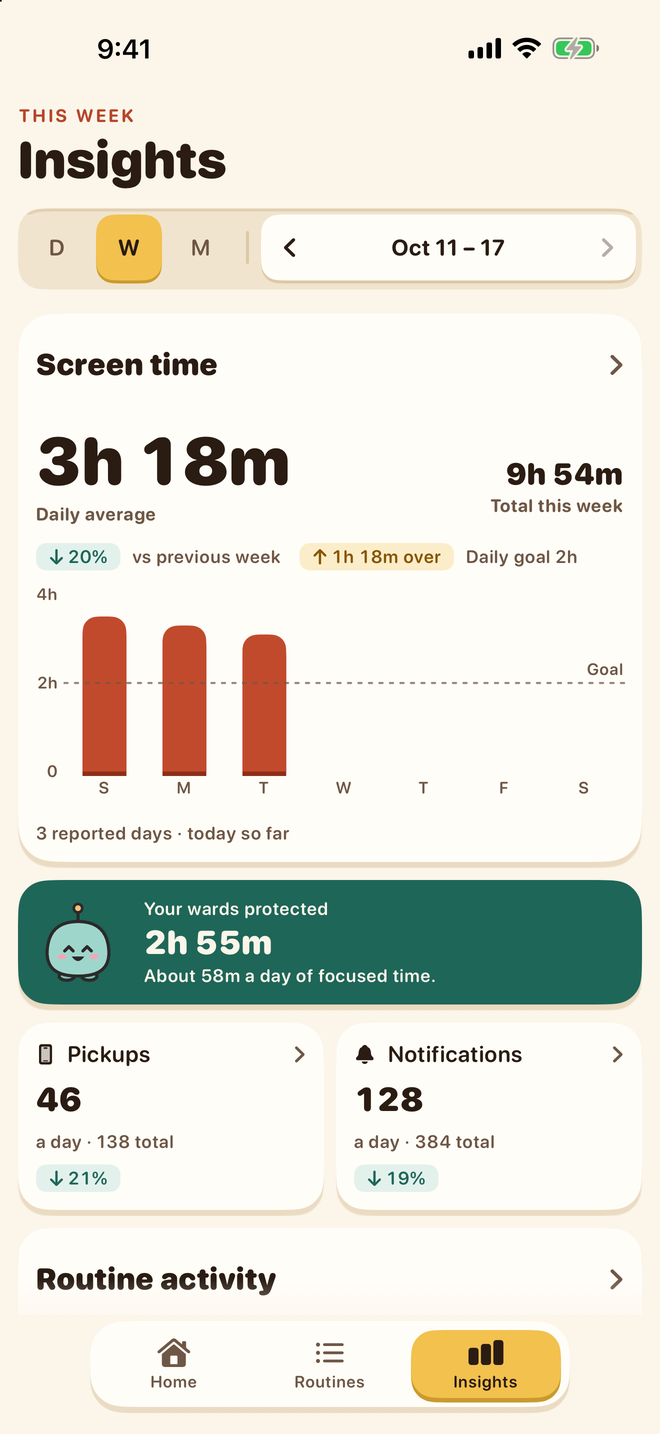
Screen time, pickups, and notifications by day, week, or month. Notice your patterns, then decide what to change.
A gentle goal line, and trends that never shout.
How much time each routine kept free this week.
See which apps take the most time, and when.
Your screen time as pages read or steps walked.
Little changes add up
A few chapters. A longer walk. A proper catch-up. See what a little less scrolling could make room for.
back in your year. That’s 7.6 whole days for something else.
A little perspective, not a promise: your minutes × 365 days, in hours.
Kept between you and your iPhone
Blocking runs on Apple’s own Screen Time tools, so the apps you pick stay shielded even when Timewards is closed.
Movement is counted on your iPhone. No video is recorded or uploaded.
No sign-up, no email, no password. Open the app and meet Pip.
Screen Time insights are drawn by iOS on your device and never leave it.
Good to know
Anything else? Pip is always happy to help in the app.
A small mascot that guards one routine. Each ward has its own name and color. It looks focused while it’s on duty, sleepy while it rests, and cheers when you finish. Your main ward, Pip, lives on Home in your focus ring.
Timewards uses Apple’s Screen Time tools to shield the apps, categories, and websites you choose. You give Screen Time permission during setup, then decide when each routine runs and how it stops.
No. You can stop in the app, wait out a short countdown, or do a few push-ups or squats. If you like a physical key, any NFC tag, a printed QR code or barcode, or a transit or bank card works. No payment is ever made.
Open Timewards and do your reps in front of the camera. Timewards counts them on your iPhone and then gives you a short break. Nothing is recorded or uploaded, and you can always choose another way instead.
Your streak resets quietly, with no shame copy and no sad wards. Milestones you’ve reached, and the looks they unlocked, are yours for good.
Timewards needs iOS 18.5 or later. NFC features need a compatible iPhone, and Screen Time permission is required for blocking.
Creating and starting routines needs Timewards Plus, with a free trial for eligible Apple Accounts. The price is shown in the app before you subscribe. Without a subscription you can still see your history and stop any routine that’s running.
Not quite. Timewards is coming soon to the App Store, and this page will link to it as soon as it’s ready.
A little less phone. A little more life.
Coming soon to iPhoneRequires iOS 18.5 or later. Timewards Plus is needed to create and start routines.